 Corey
CoreyStep 1
Add Corey
One click opens Claude's connector dialog, already filled in. Press Add, then Connect, and sign in through your browser - no token to paste.
You land in Claude's Add-connector dialog, Corey pre-filled.
Add Corey to Claude →Your AI sidekick
Corey is a sidekick full of skills and hard-won method, working inside the Claude you already pay for. £9 every four weeks.
Free 28 days · no card · needs your own paid AI plan - Claude Pro for nearly everyone.
I have built and run companies, and made most of the mistakes available. Corey is that experience turned into something you can actually use: the method, the checklists, the questions worth asking, and the traps worth avoiding - working alongside you rather than sitting in a book you will not read.
Kristian Papadakis, who built Corey
Every one of these is a guide showing the actual conversation - what to ask, what Corey does with it, and where you have to decide. Read one, or hand it straight to Corey.
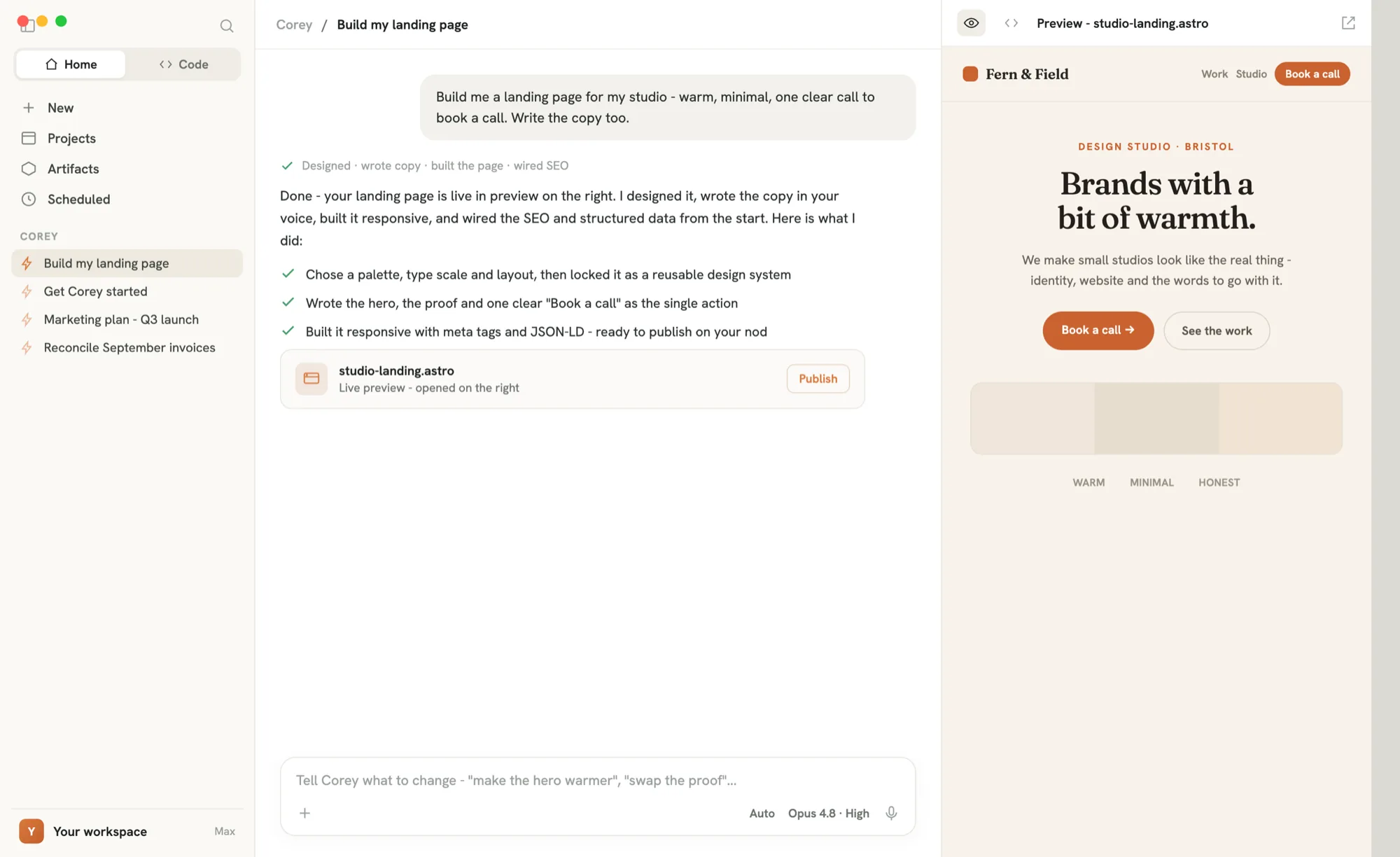
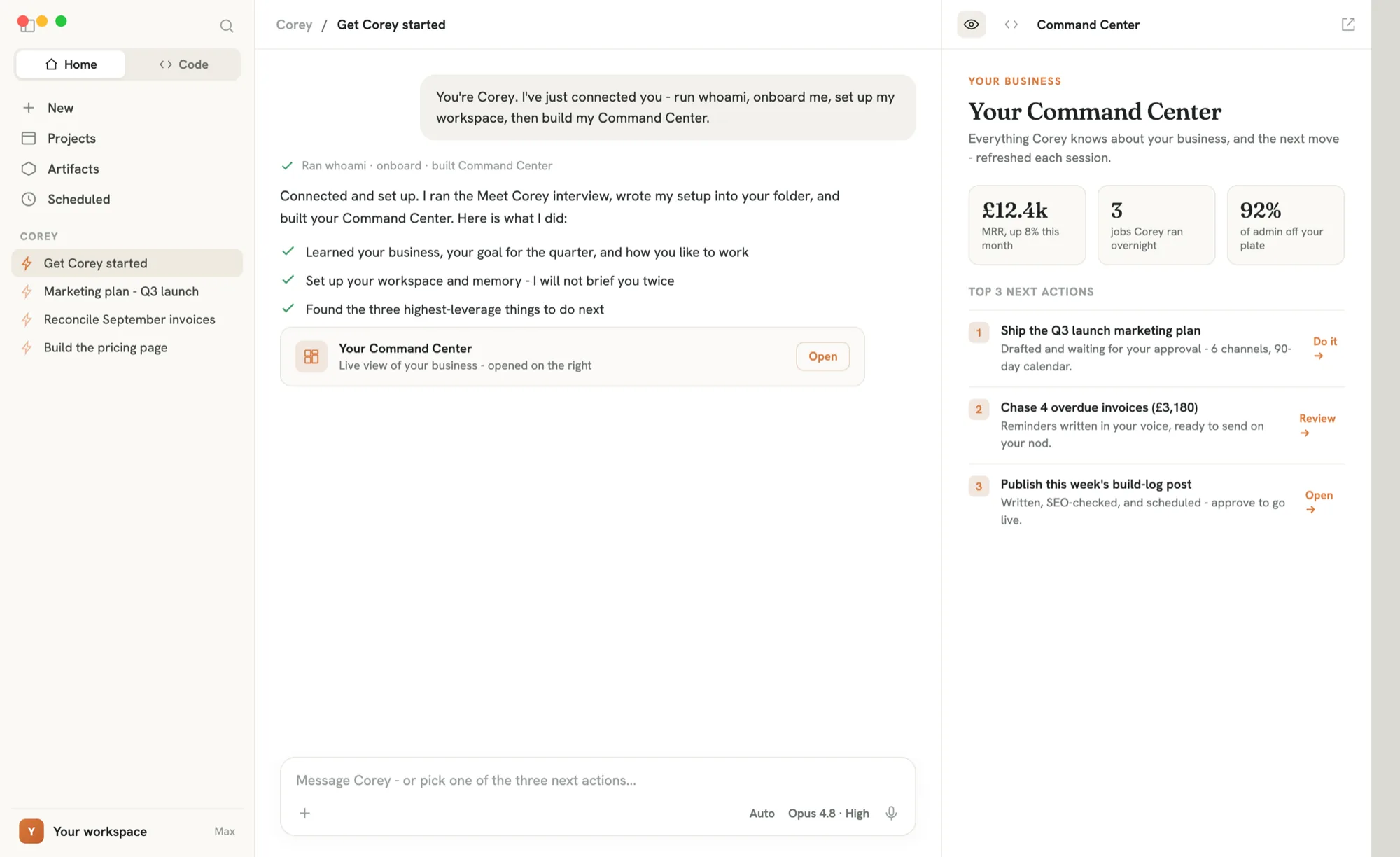
No dashboards to wire up, no forms. Ask Corey in plain English inside Claude Desktop and it does the work - in your own folder, on your own files. You steer; it builds. Below, it is building somebody a command centre, which isone of the jobs it knowsrather than something we host for you.
About two minutes inside Claude Desktop. Two clicks and one quick setting - no new tool to learn, no card.
You will need Claude Desktop (free to download) and a Claude Pro subscription, which you pay Anthropic for separately - connectors are not on Claude's free tier. (Running Corey in Cursor instead? Its no-cost tier works.) Corey's own first 28 days are on us, no card. New to Claude? Our referral link gets you a free week of Claude Code.
One click opens Claude's connector dialog, already filled in. Press Add, then Connect, and sign in through your browser - no token to paste.
You land in Claude's Add-connector dialog, Corey pre-filled.
Add Corey to Claude →In Claude Desktop, turn on Cowork, choose Work in a folder, and pick a fresh empty folder. Corey fills it - you never create a file, and setup never deletes anything.
One click loads Corey's kickoff. It confirms the connection, walks you through a short interview and sets up your workspace.
Then it picks the job that would move your business furthest this week, and starts it with you.
Start Corey →Prefer the terminal? Full setup for Claude Code & Cursor →
From there, Corey runs the rest.
Not a blank prompt. Corey arrives with the method, the checklists and the questions worth asking for the work in front of you - so you start from somewhere rather than from scratch.
Corey does the work and proposes the rest. Anything public, costly or irreversible waits for your nod - you stay the founder.
£9 every 4 weeks, inside the Claude you already pay Anthropic for. No new app to move into, no per-seat fees, cancel anytime.
Free 28 days · no card · needs your own paid AI plan - Claude Pro for nearly everyone.